Overview

A platform for grocery-benefit programs.

Nourish Direct lets an organization give households a grocery allowance. The organization chooses which products to offer and sets how much of each food category a household can order each week. Households place weekly orders, which are sent to the grocery store for fulfillment.

shop.example.org
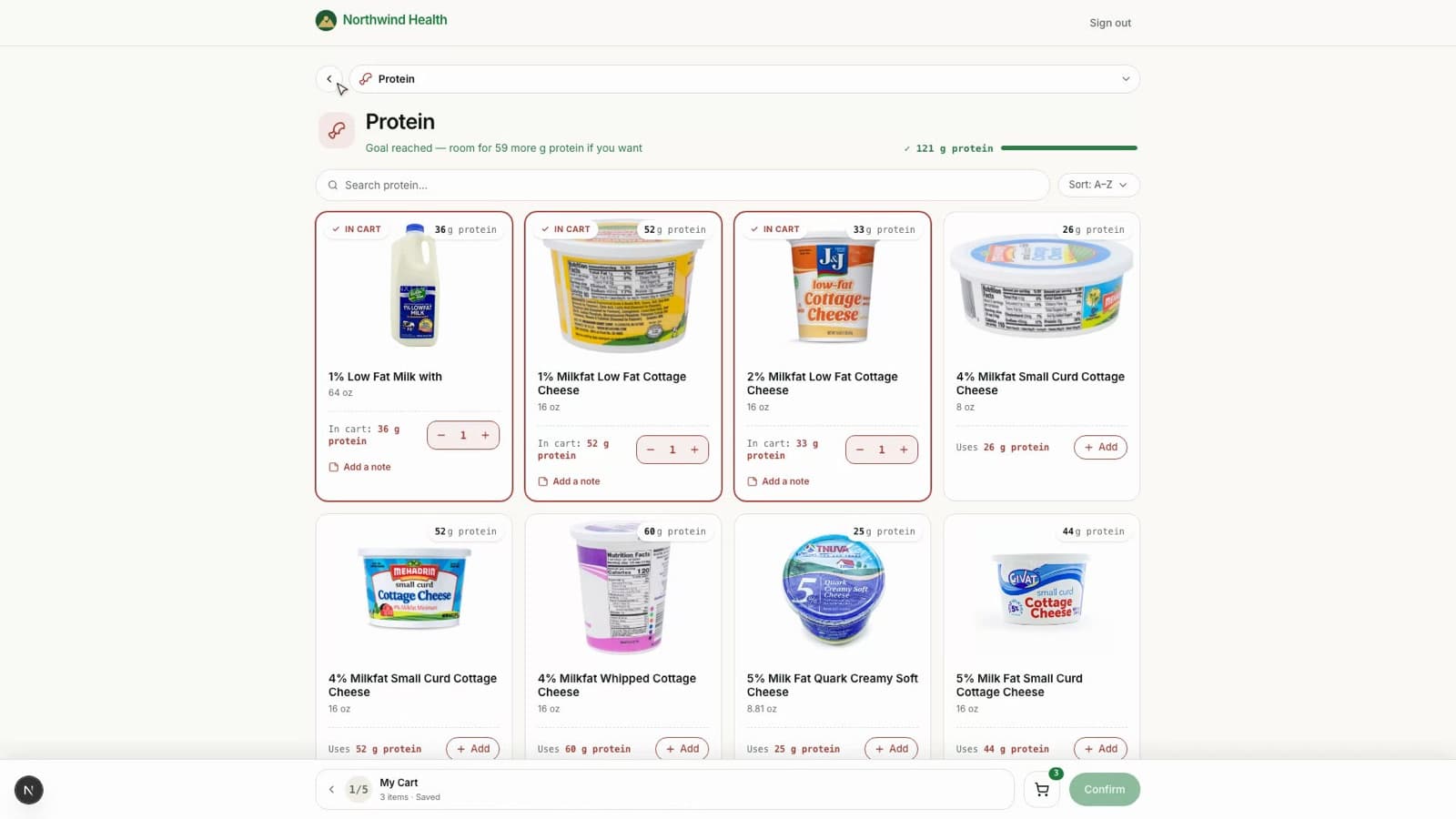
The household ordering screen, showing products and remaining allowance
Demo

Recorded walkthrough

A household building its weekly cart, your team picking what to offer, and the finished order — organized for the store.

How it works

A program runs in four stages.

Stage 1

Add stores

Products are imported from the grocery stores the organization works with — including photos and prices — and kept up to date.

Stage 2

Select products and limits

Staff choose which products to include and set the weekly amount a household can order in each food category. A dietitian can review individual items.

Stage 3

Households order

Each household builds a weekly order within its limits — online, with staff, or by phone.

Stage 4

Orders sent to the store

Each store receives one list of items to fulfill — as a printout, an email, or a transfer into the store's own system.

Ordering methods

Households can order in three ways.

The same products and limits apply to all three, and each produces the same order to the store.

Online

A household signs in with a phone number and builds an order on any device. Remaining limits are shown while ordering.

Staff-assisted

Staff place and manage orders on a household's behalf, using the same products and limits.

No internet required

By phone

A household calls an automated line and orders using short codes from a printed product list. Intended for households without internet access.

Reference

Common questions

Who is it for?

Organizations that provide households with grocery assistance and need control over which products qualify and how much each household receives.

Do households need a smartphone?

No. Orders can be placed online, through staff, or by phone. The phone option uses short codes from a printed list and requires no internet.

Which stores are supported?

Products are imported from real grocery stores and kept current. Local vendors, such as a butcher, can be added for order routing even if they are not online.

Is program data separated?

Yes. Each organization has its own instance; data is not shared between programs.

How is a program set up?

Through a short guided setup that collects the program name, branding, and store list. No developer is required.
Contact

To set up a program or ask a question, reach us by phone, WhatsApp, or email.